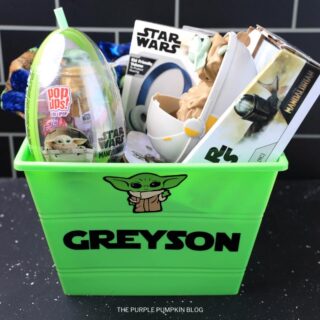
Grogu Easter Basket
If you're looking for a unique and fun Easter basket idea, look no further than this Baby Yoda AKA Grogu Easter Basket!
Materials
- Grogu SVG
- Star Jedi Font
- 1 Sheet Green Oracal 651 Vinyl
- 1 Sheet Black Oracal 651 Vinyl
- 1 Sheet Beige Oracal 651 Vinyl
- 1 Sheet Light Brown Oracal 651 Vinyl
- 1 Sheet White Oracal 651 Vinyl
- Transfer Tape
- Green Plastic Bucket/Basket
- Grogu Toys of Choice
TOOLS
- Cricut Machine
- Blue Cutting Mat
- Scraper Tool
- Weeding Tool
Instructions
- Upload the Grogu SVG file to Cricut Design Space. Use the eye icon next to each color to turn off all colors but black. You can now duplicate the black if you want several stickers. Send it to the machine to cut on vinyl setting on the dial.
- Place black vinyl on the blue cutting machine and cut.
- Repeat Step 2 for every color of each layer on the SVG.
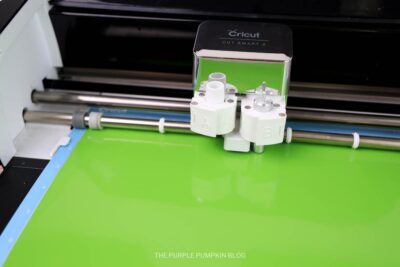
- Use a weeding tool to remove negative space as required.
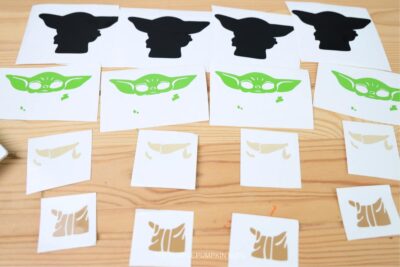
- Place a piece of transfer tape over Grogu's green head and hands. Scrape well with scraper tool or credit card if you don't have the scraper tool.
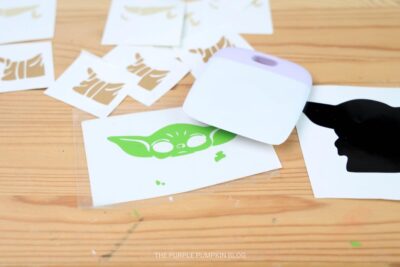
- Peel back the transfer tape making sure the green design sticks to the tape. Align it over the black in the area the green head is suppose to be, place down and press well with a scraper. Peel back the transfer tape carefully making sure the design sticks.
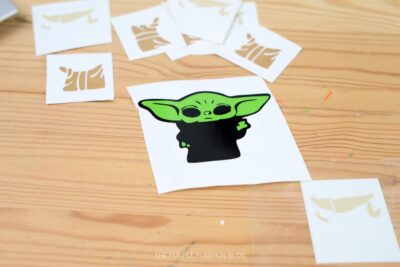
- Repeat steps 4 and 5 for the other layers, Starting with the beige collar and cuffs, then finally the brown coat.
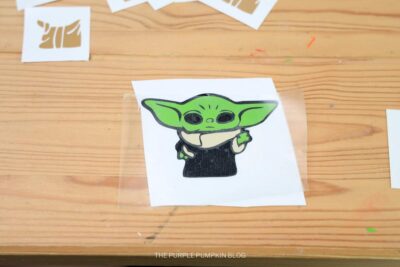
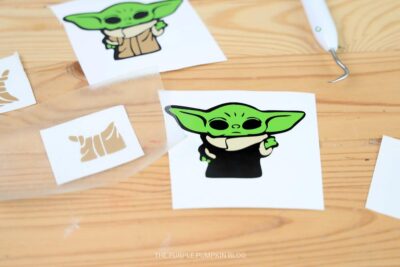
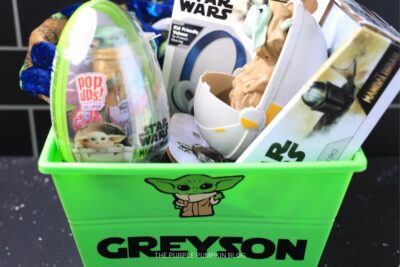
- Once the Grogu sticker has been layer, peel it and stick it in place on your green bucket.

- To add a name to your bucket, install the Star Jedi font onto your device and import the font into your Cricut Design Space.
- Use the text feature and select the Star Jedi font. Type out the name and size accordingly to fit your basket.
- Send the text to cut on black vinyl and weed the name as required.
- Use transfer tape over the top of the vinyl name and scrape well. Peel back making sure the design sticks to the transfer tape.
- Press onto the basket and scrape well. Peel back slowly making sure the design sticks to the basket.
- Fill the basket with Grogu toys of choice. This Is The Way! Enjoy!
Did you make this project? Share it!Tag @_ThePurplePumpkinBlog on Instagram with the hashtag #TPPBCreate!